Facebook Video Downloader
Complete software usage guide
Facebook Video Downloader allows you to download videos that you can find on the Facebook social network.
🎯 Introduction
You have a free trial mode that allows you to download 5 videos per day. What I mean by unlimited is that you can download a maximum of 5 videos per day, for as many days as you want. There is no time limitation.
📥 How to download a video?
It's quite simple, once you properly master the Facebook site:
- Click on the three small dots of the video you are watching
- Copy the sharing URL of this video, or get the URL from your address bar (right click → Copy or
CTRL+C) - Paste this URL into the software (right click → Paste or
CTRL+V) - Click on the Download button
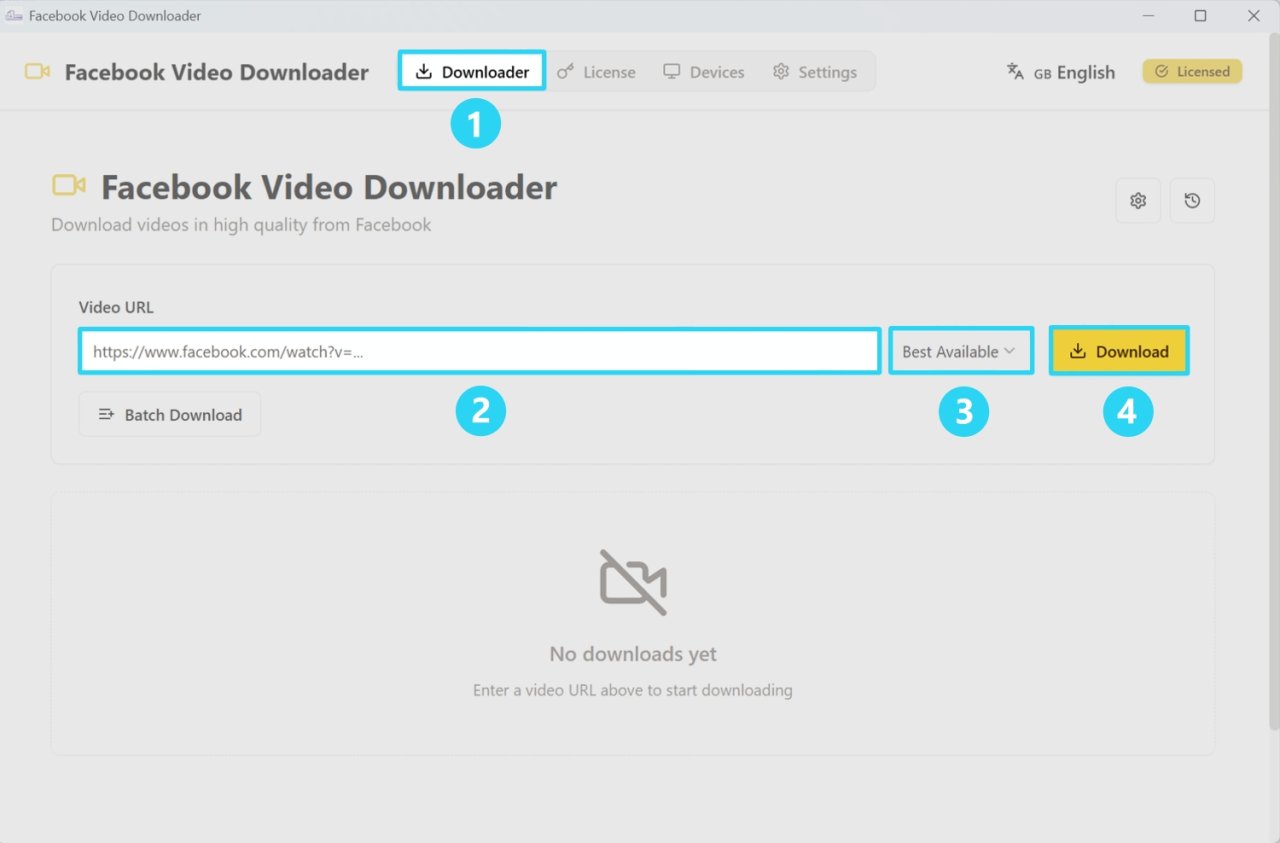
💡 Quality: By default, the best available quality will be downloaded.
📦 How to download videos in batch?
If you want to go a bit faster:
- Press the Batch Download button
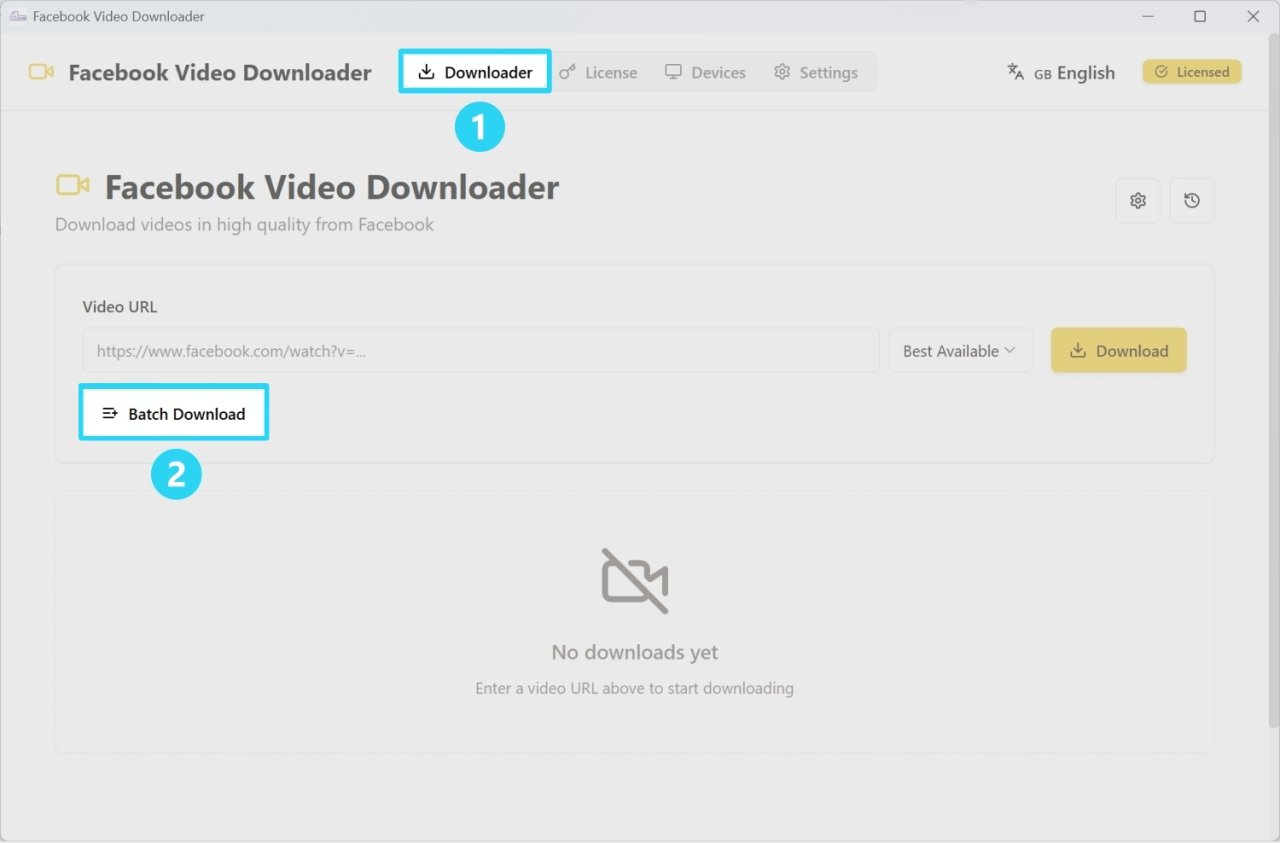
- Add all the URLs you're interested in, corresponding to the videos you want to download
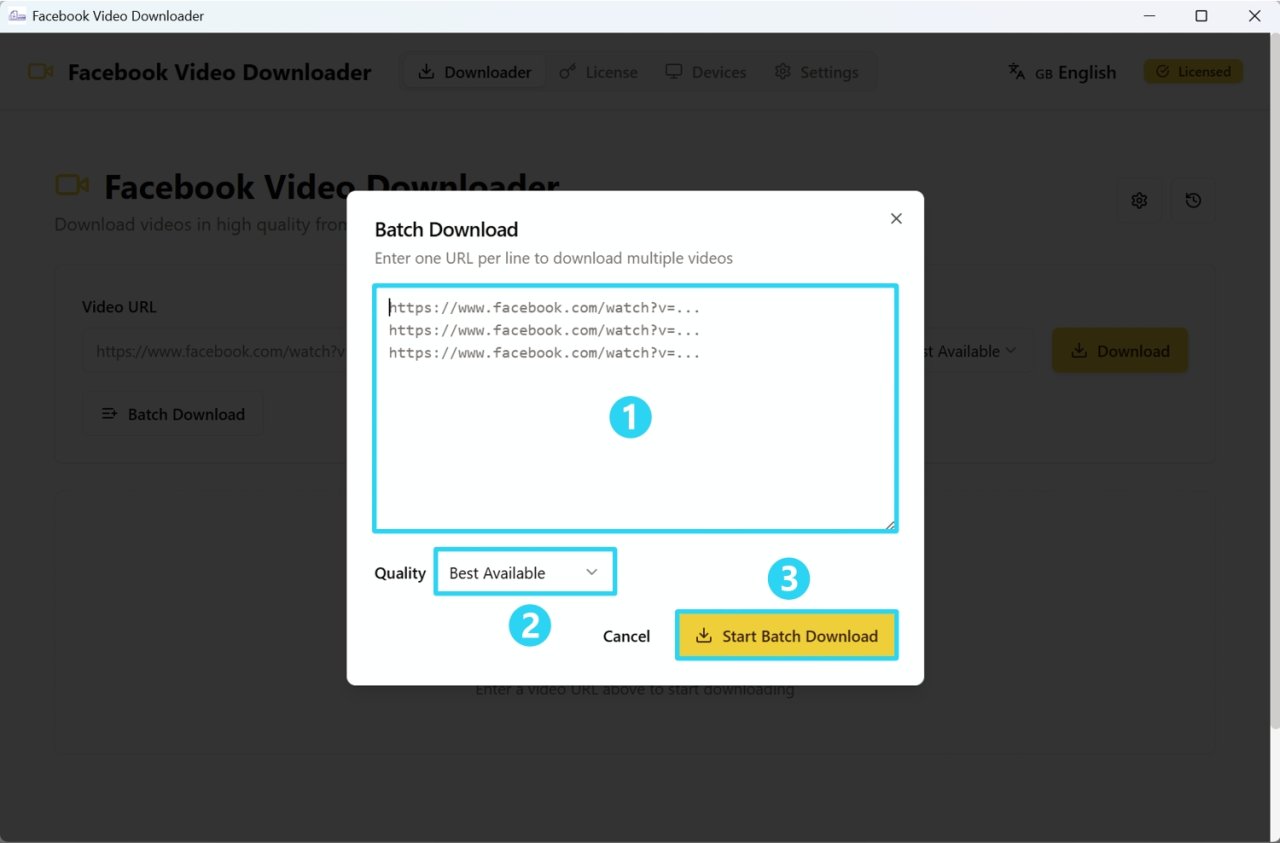
- Start the batch download
🔑 How to buy a license?
Simply from the product page on the BugFatal Marketplace:
- Click on Buy a license in the software to access the product page
- Enter your email address
- Continue to payment
- You will receive your product license in your email
⚠️ Important: If you lose the email with the license, you can find your key from your personal dashboard by logging in to the bugfatal.com website.
✅ How to activate your license?
To activate the license, nothing too complicated:
- Go to the License tab in the software
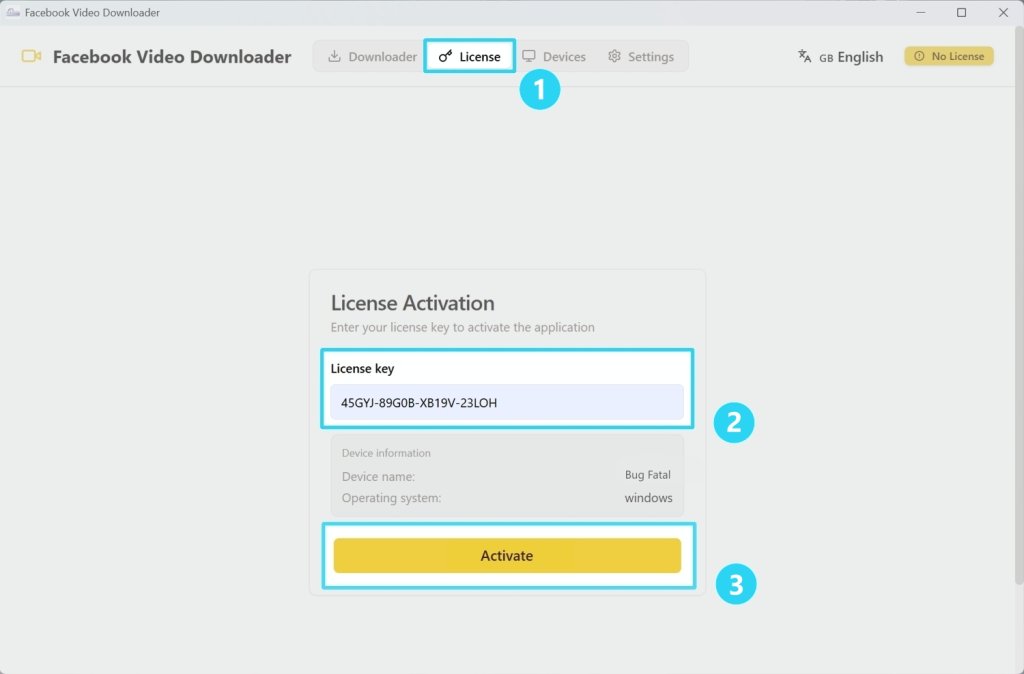
- Copy-paste the license you received
- Enter the activation key
- Click on Activate
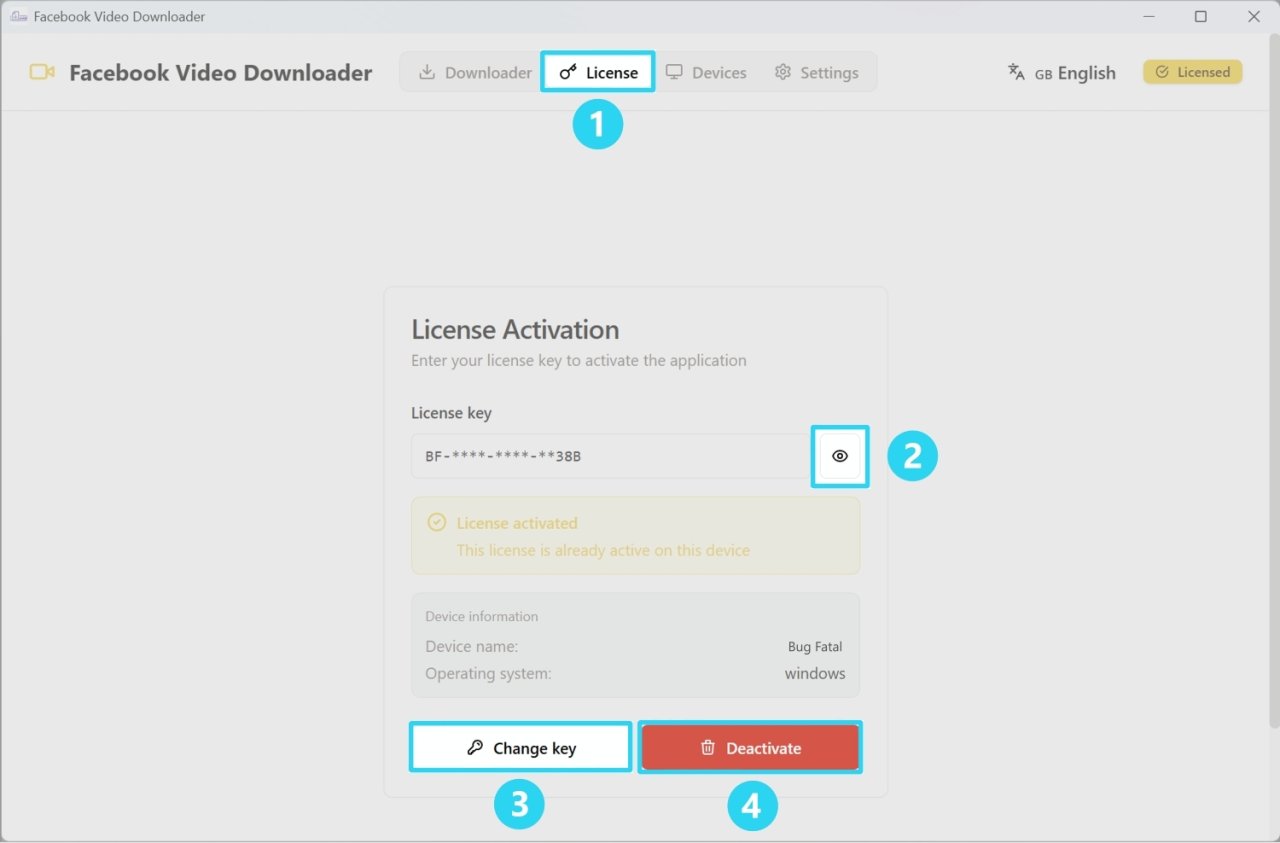
💻 License sharing
You can share this license key among your different computers. The license allows you to use the software on up to 3 personal computers.
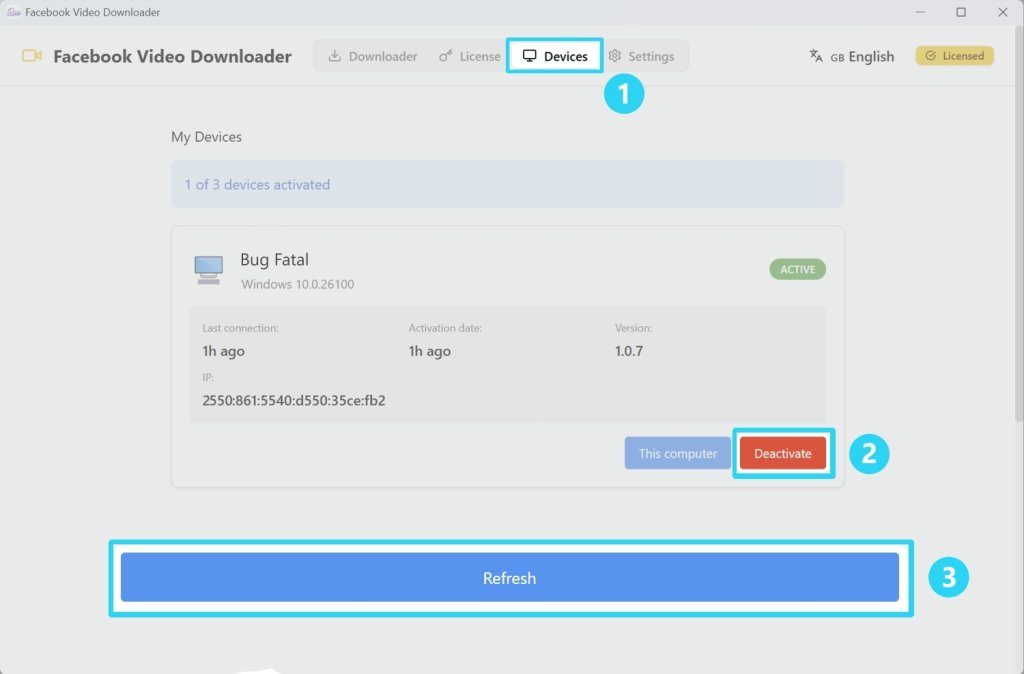
⚙️ Settings
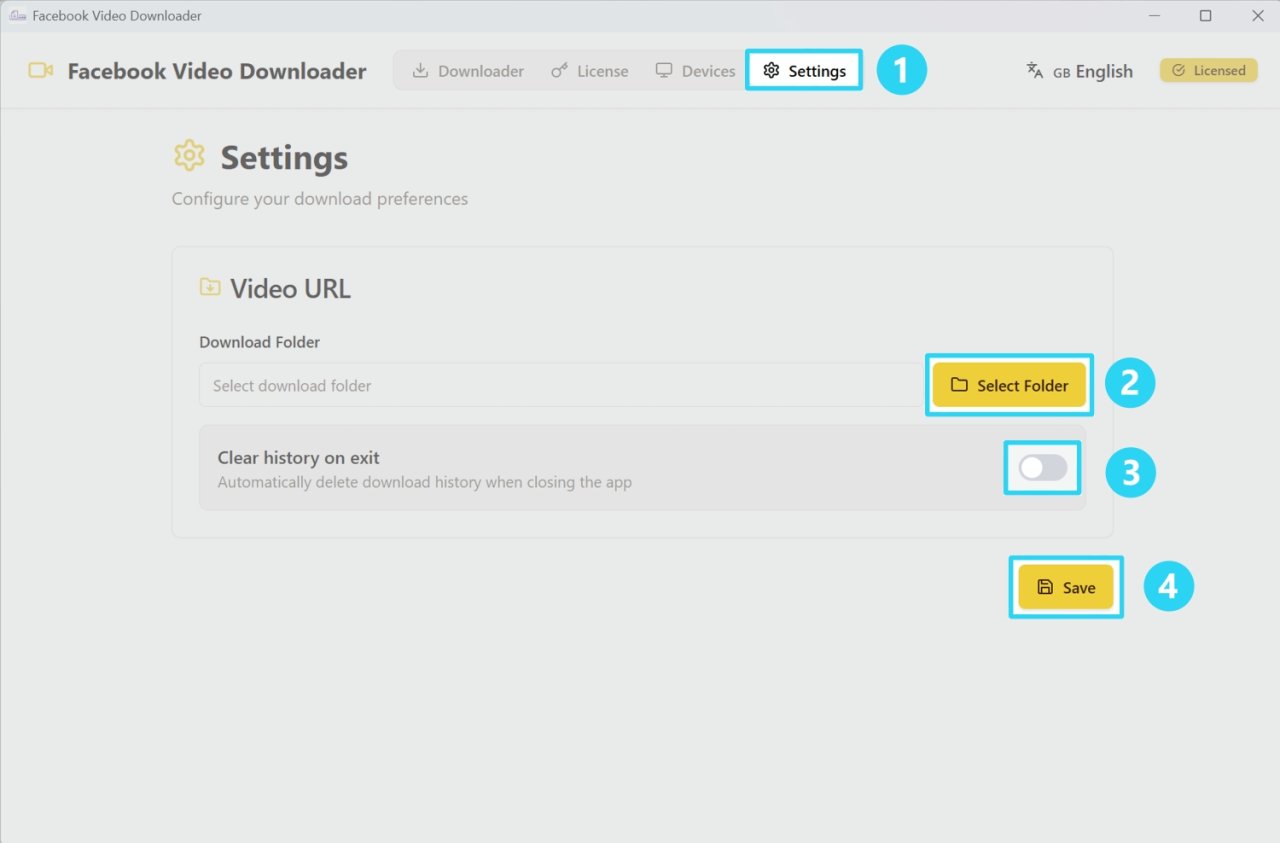
In the settings, you can:
-
Change the default download folder: You can select an external hard drive for example.
-
Clear download history when exiting the program: This doesn't delete the videos, but only the history visible in the software (your list of completed downloads).
🌍 How to change the language?
Quite simply:
- Click at the top right, where the languages are
- Select the language you're interested in
💡 Choice: You can choose from 196 languages, which gives you plenty of options!
⚖️ Legal Warning
This software is intended for personal and private use only. You are responsible for complying with copyright laws and the platform's terms of use. Usage must comply with the laws of your country.